Phase 1: How to Install Apps on Firestick (The "Downloader" Method)
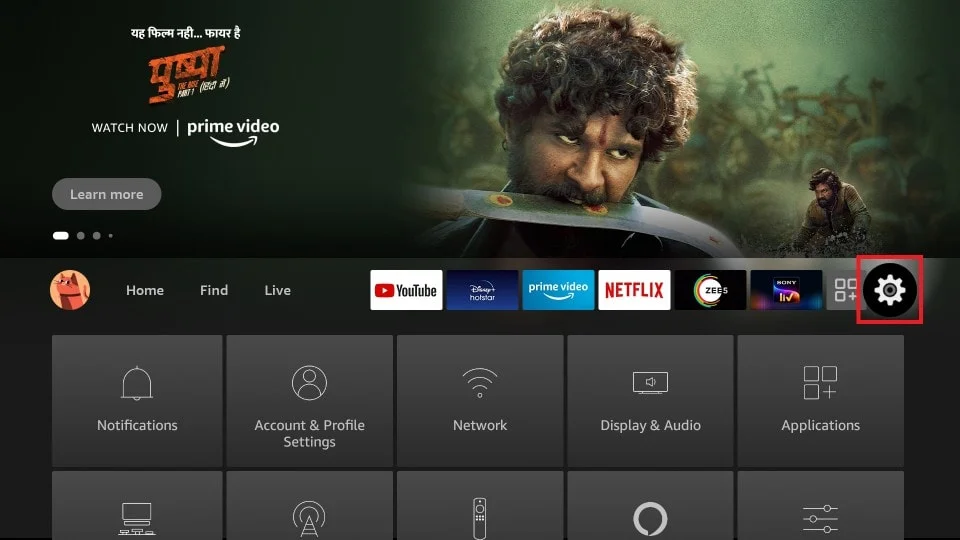
Amazon removes most 3rd-party IPTV players from the native App Store. To install Smarters, Hot Player, or TiviMate on a Fire TV Stick, you must sideload them using Downloader.
- Step 1: Go to the Firestick Home Screen, click Find, and search for exactly
Downloader(the orange icon). Install it. - Step 2: Press the Home button, go to Settings > My Fire TV > Developer Options.
- Step 3: Click Install Unknown Apps and turn it ON for the Downloader app. (If Developer Options is hidden, click "About", then click "Fire TV Stick" 7 times to unlock it).
- Step 4: Open Downloader, allow permissions, and type the specific numeric code or URL provided by us for your chosen player below.
Need Help Setting Up?
Every DublinCasts plan includes free 1-on-1 WhatsApp installation support. We will get you running on any device in under 5 minutes.
Get Started Now